

Affiliate Creator Onboarding - Creator Age Confirmation
Creator Age Confirmation
To be eligible for TikTok Shop creator e-commerce permissions, all creator accounts must be registered in Ireland, and all creators must successfully confirm that they are at least 18 years old before obtaining EC permission. This allows us to ensure that only creators meeting the TikTok Shop's age requirement have access to TikTok Shop's monetisation features.Depending on the option you choose, this age confirmation process may involve submitting relevant personal identity information, such as:
- your full name
- date of birth
- a valid government-issued identity, such as:
- Driving license
- EU National ID
- Passport
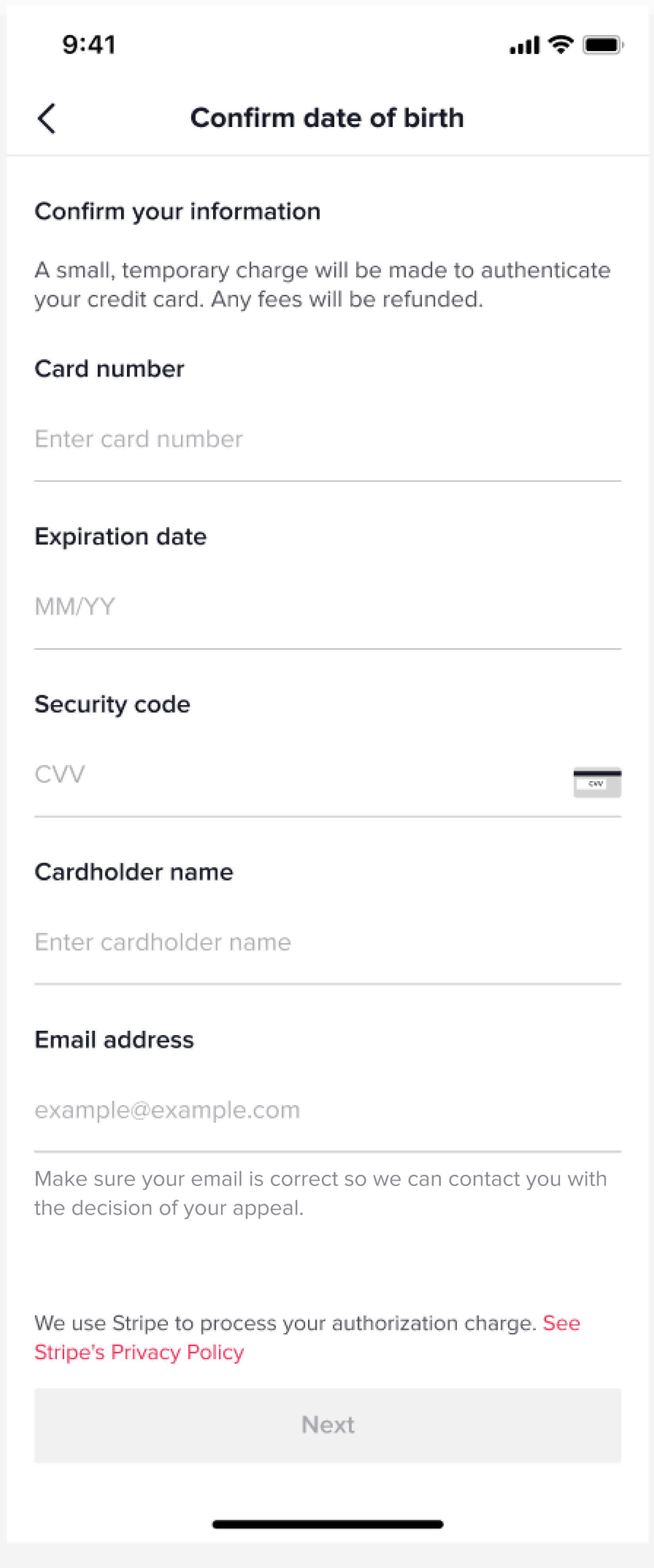
- A valid credit card
- Cardholder name
- Email address
- Card validation date
- Security code
- The address associated with the bank details you intend to link to the account for facilitating commission withdrawals
Why do we require age confirmation during E-Commerce creator onboarding process?
At TikTok Shop, we are committed to creating a safe and responsible environment for all our users and partners. Confirming that creators are 18 years or older is a crucial step in ensuring that access to our platform's monetization features is granted responsibly. This age confirmation process helps protect younger users and aligns with our commitment to comply with legal requirements and maintain a secure and trustworthy marketplacecreators and consumers. Your understanding and cooperation in this process are greatly appreciated as we work together to foster a positive and safe online community.Age Confirmation Process
| Creator type | Age confirmation process |
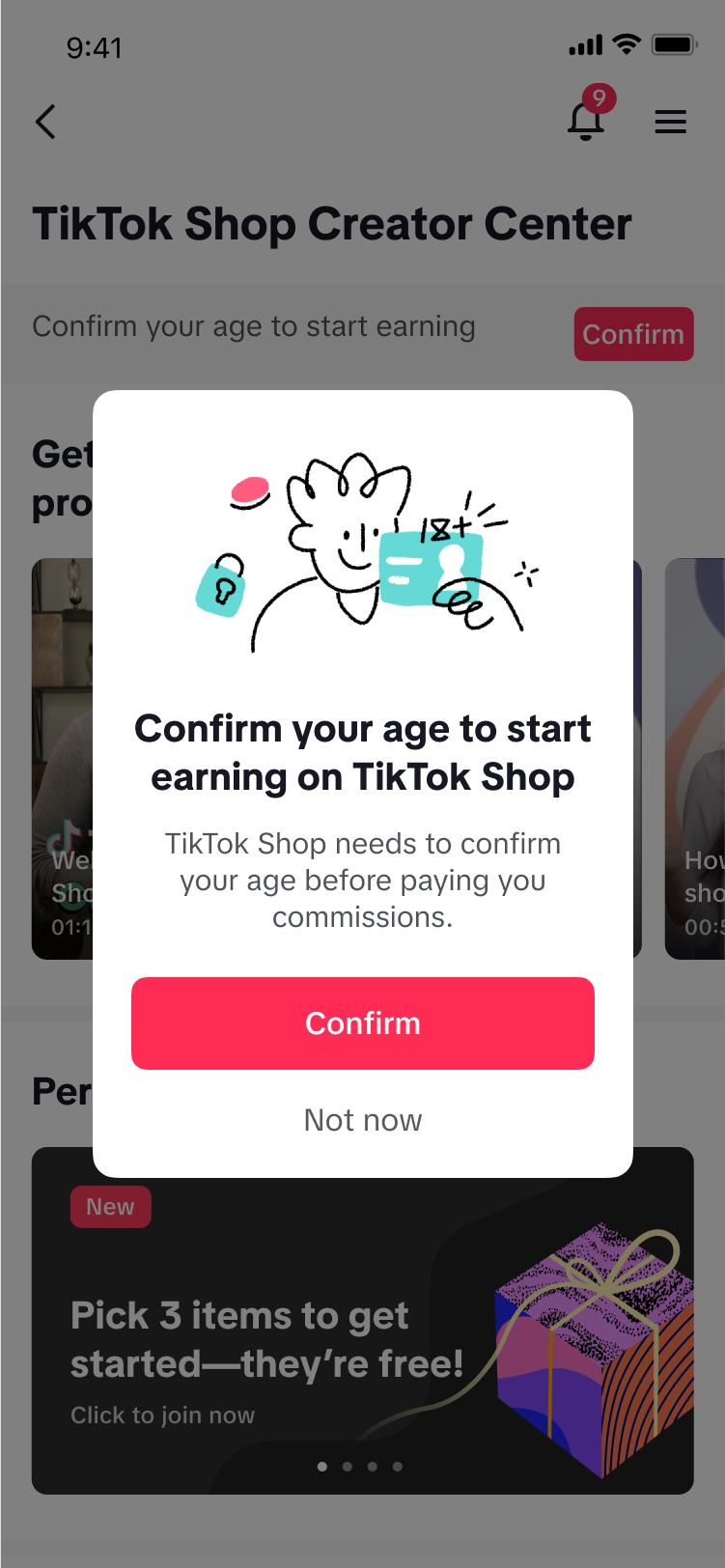
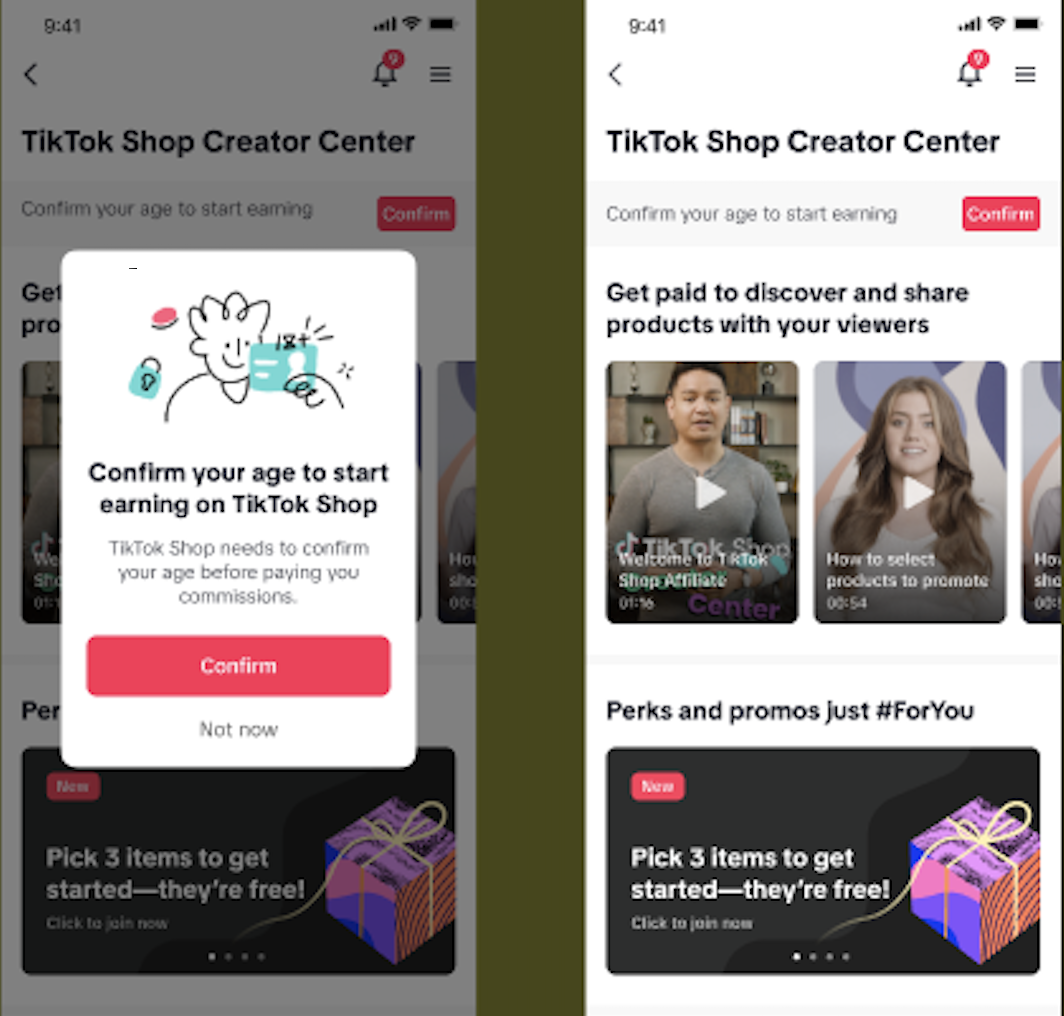
| Affiliate Creators | If, as a new E-commerce Creator, you want to obtain EC permissions, you need to complete the Age confirmation process within the next 60 days after onboarding as a TikTok Shop E-commerce Creator. Otherwise, you will lose access to the TikTok Shop creator centre.

 |
| Merchant Official Creator or Merchant Channel Creator can go to this link for more info on Age confirmation process. | |
How to confirm your age on TikTok Shop
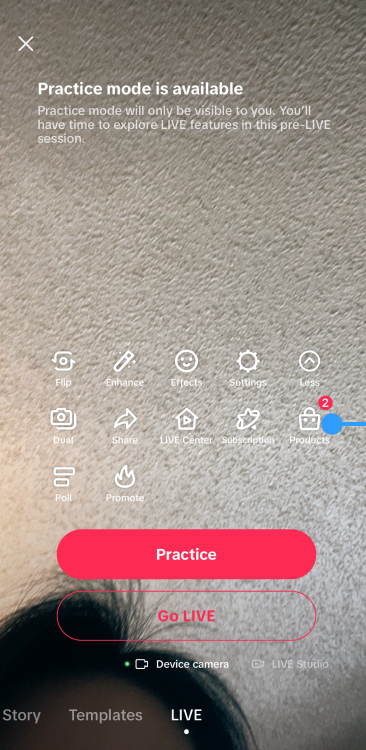
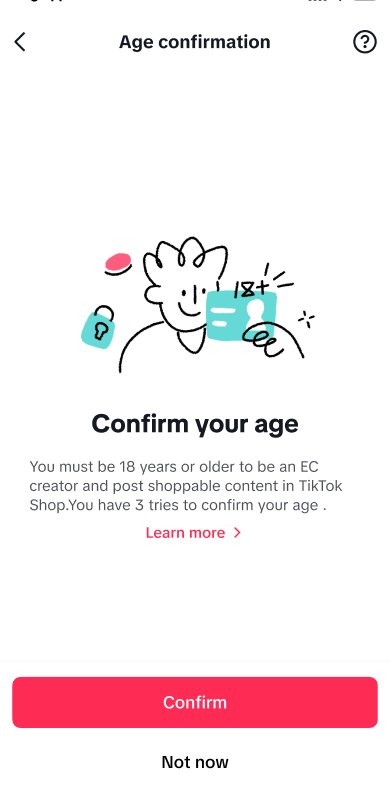
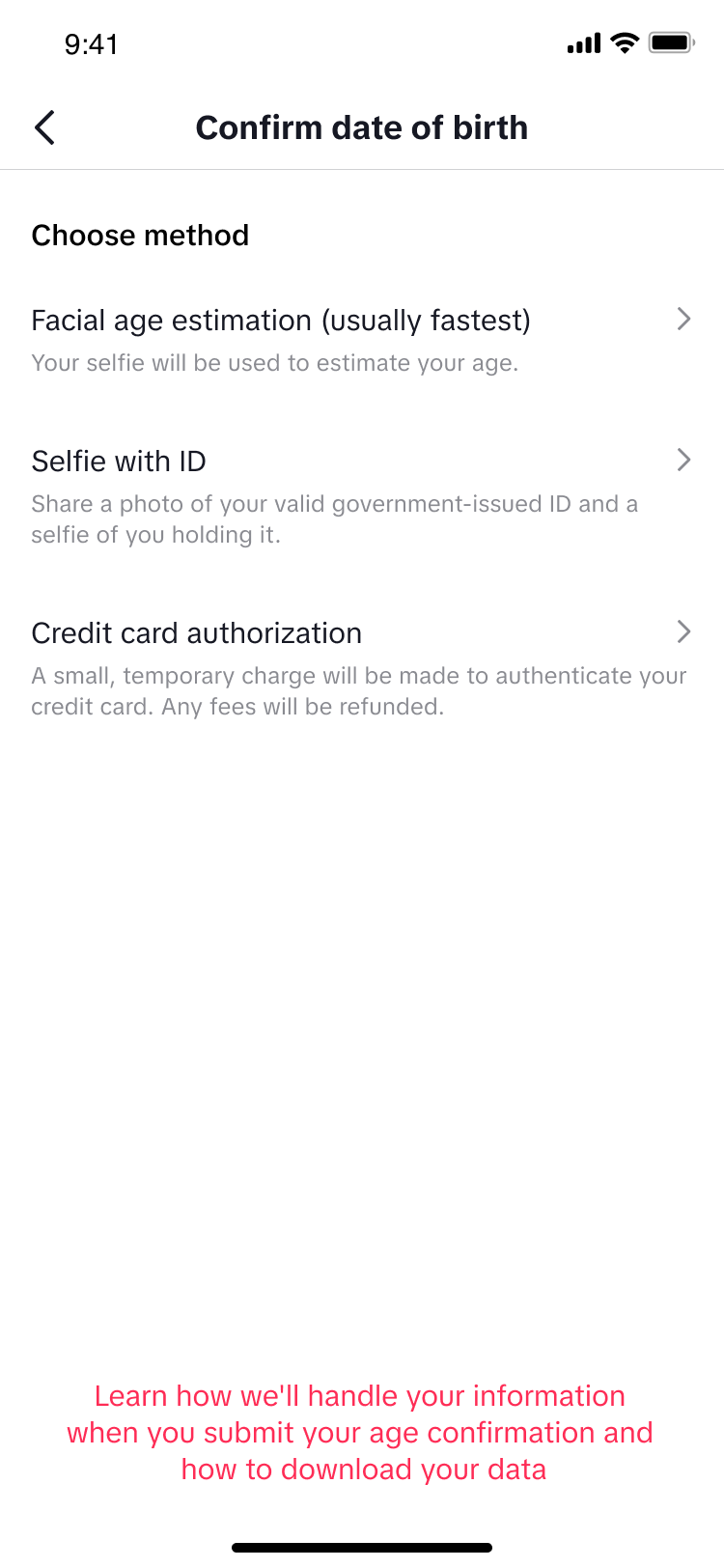
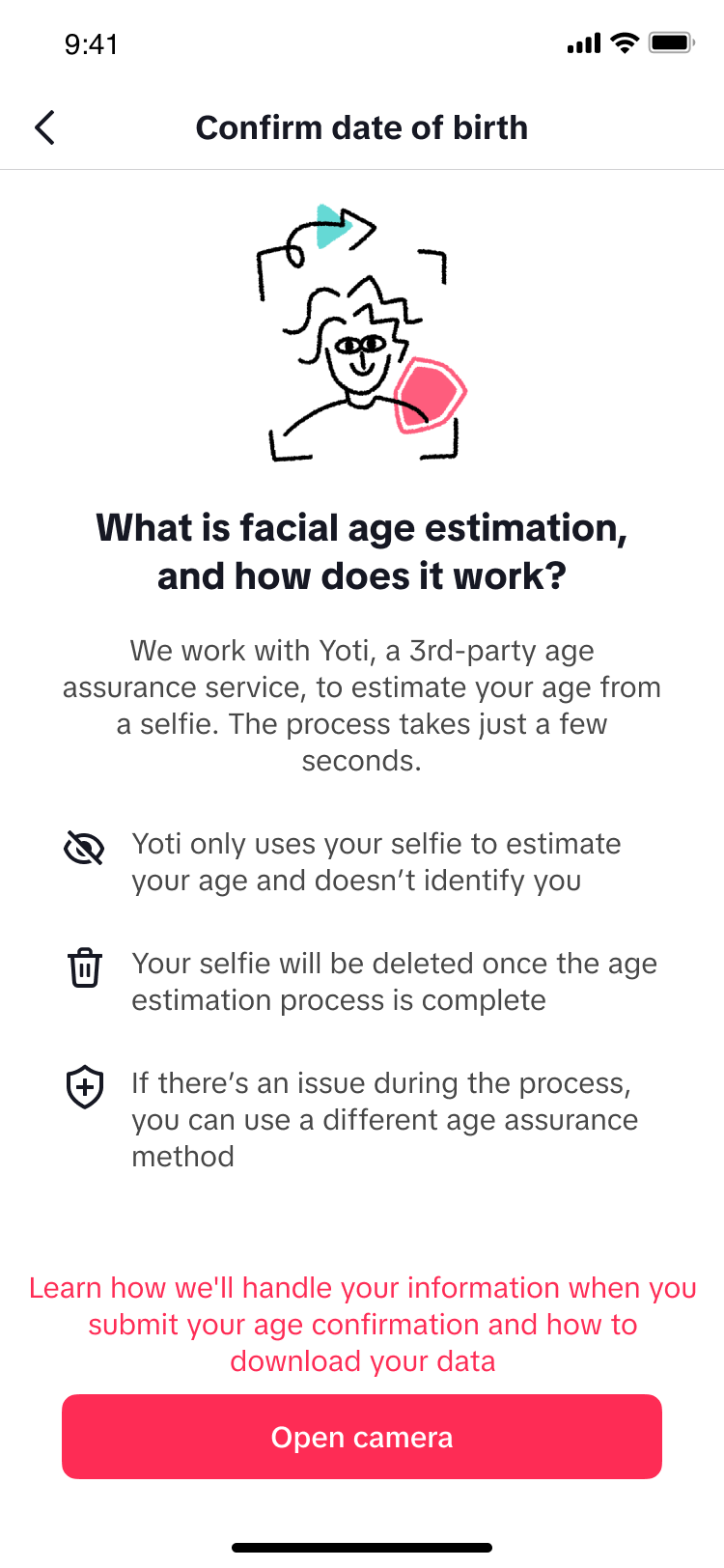
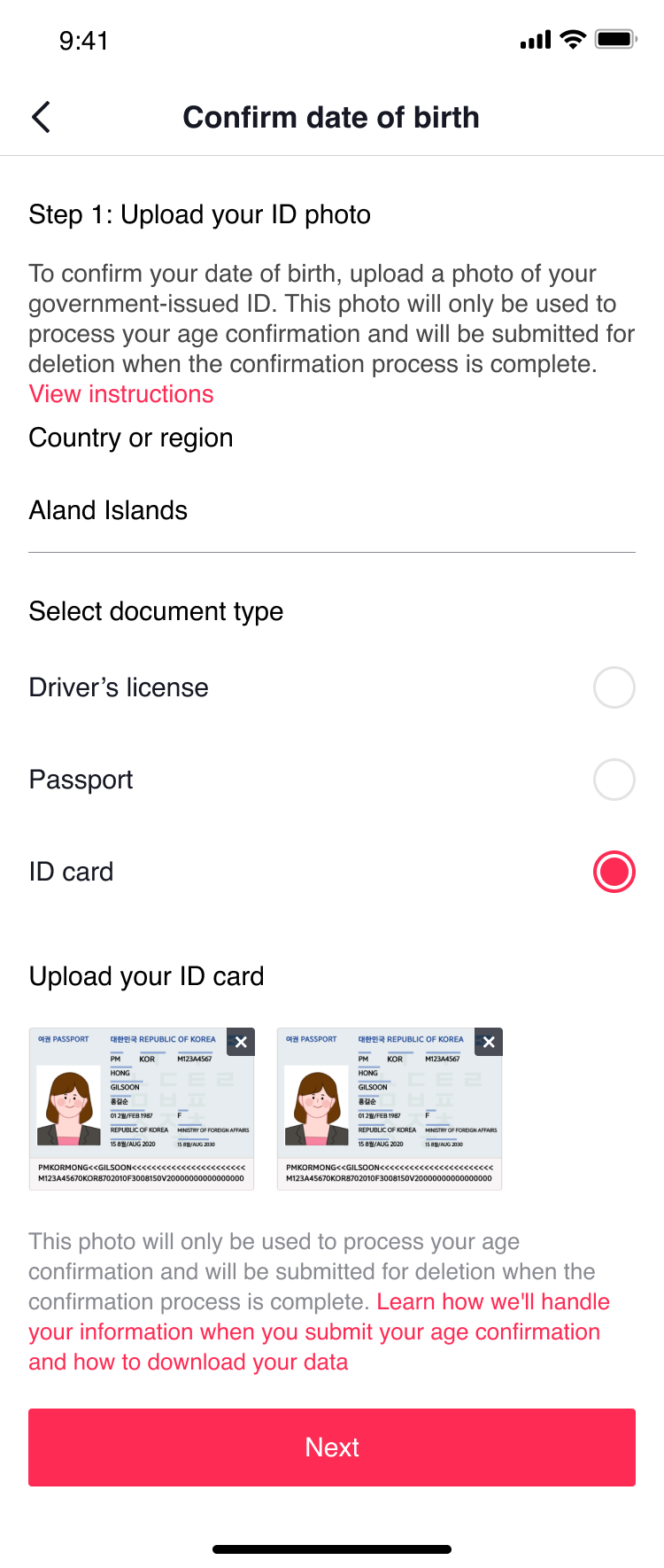
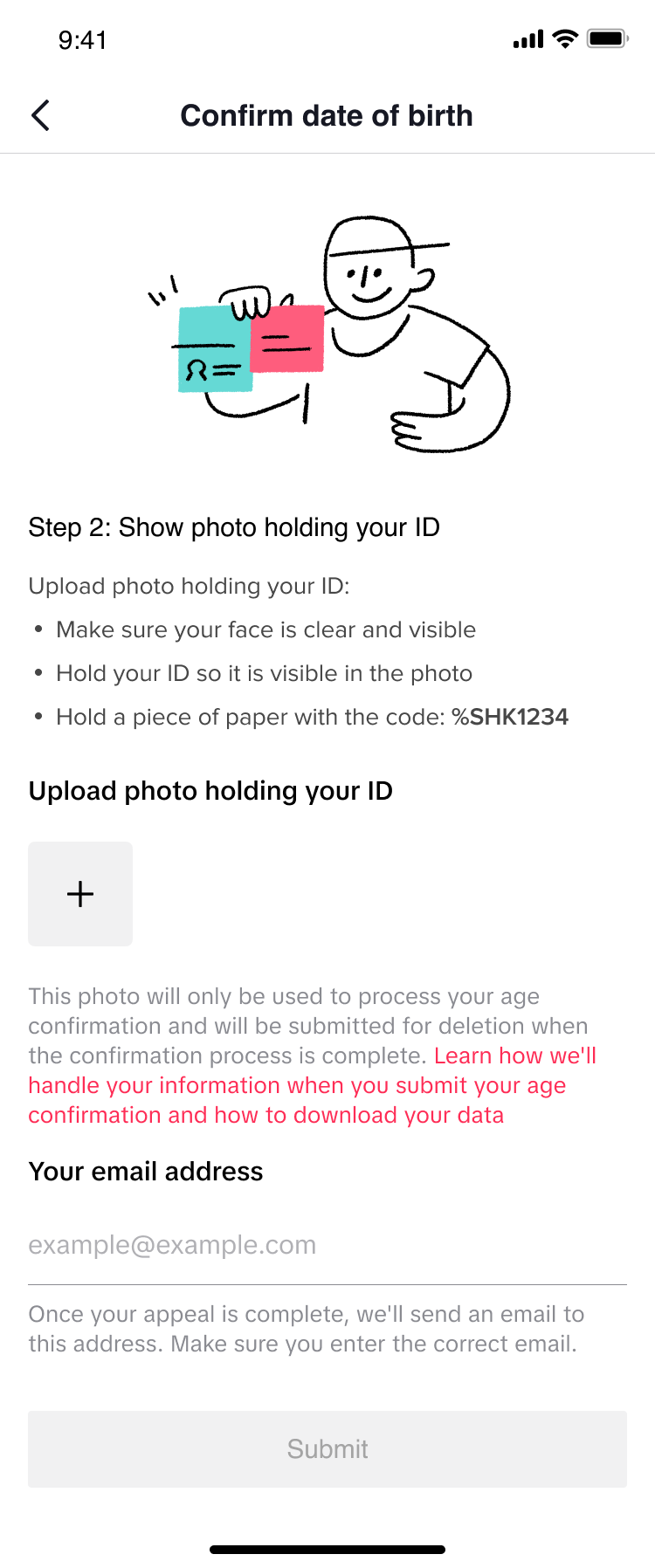
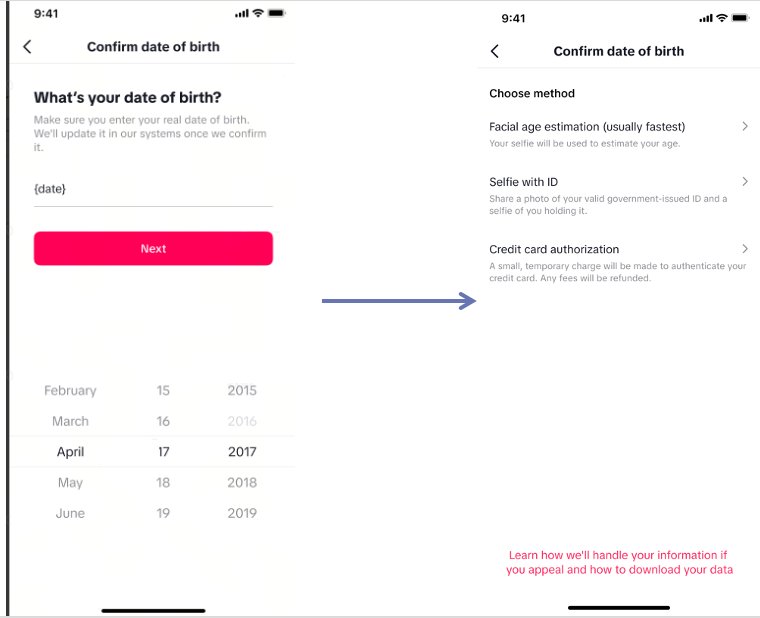
Before a Creator or associated Creator account begins with the TikTok E-commerce journey, creators will have to confirm their age by choosing one of the following three methods to complete the age confirmation to obtain full access to TikTok Shop and add products to post shoppable content,Note: Creators can choose the following methods to confirm the age. However, each method's turnaround time is different. Facial Age estimation gets back to the result instantly; Selfie with ID normally takes more than 24 hrs to get back to the confirmation result; Credit card authorization takes around 15 mins to get confirmed.
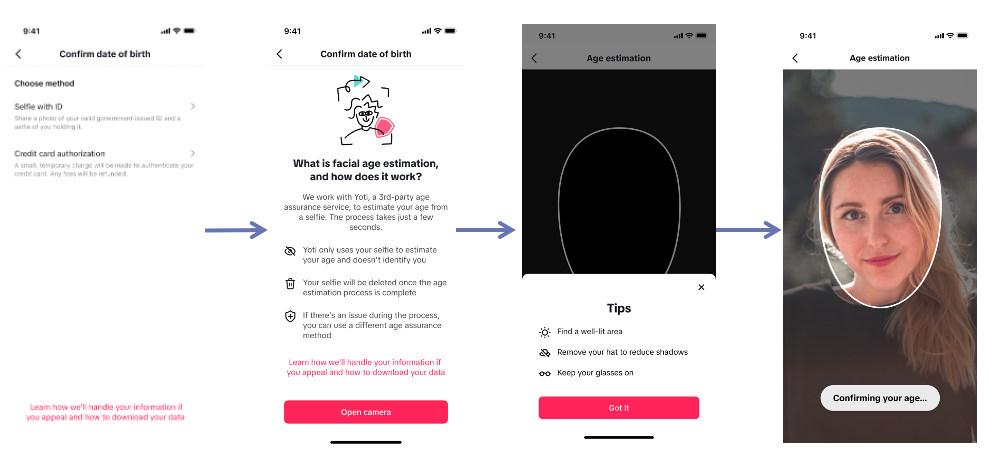
- Facial Age Estimation
- Selfie with ID
- Credit card authorization
Method Chosen Page | Facial Age Estimation | Selfie with ID | Credit Card | |
Selfie with ID - Upload ID | Selfie with ID - Upload Selfie | |||
 |  |  |  |  |
Age Confirmation Guidance - Facial Age Estimation
Age confirmation Step | Screenshot of UI |
|  |
|  |
| A. If the age confirmation is successful ( which means age confirmed as 18+), you will be able to officially obtain full access to TikTok Shop to add products and post shoppable content accordingly.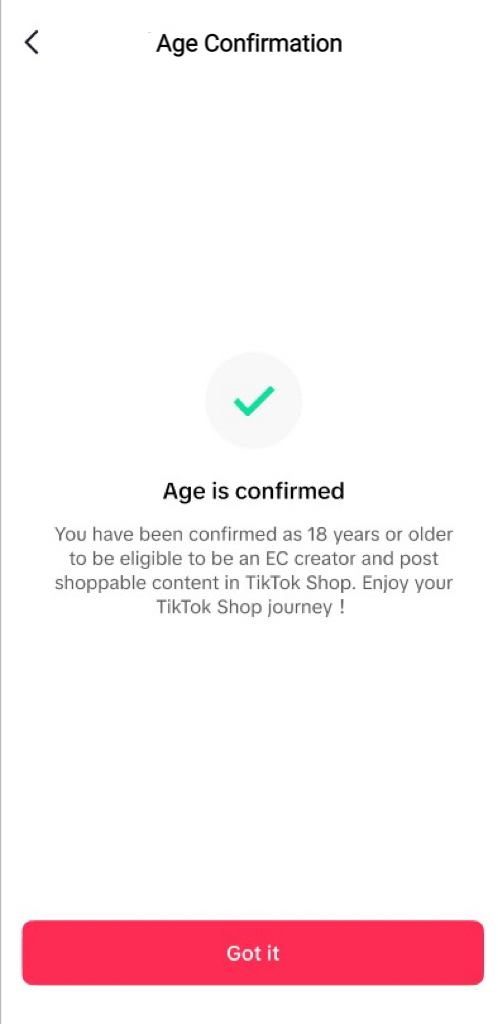 |
B. If the age confirmation is failed ( which means age confirmed as 18- or the liveness check is failed),you will not be able to obtain full access to TikTok Shop to add products and post shoppable content accordingly.
| |
C. If age is not confirmed due to some technical issues, you can instantly retry using Facial Age Estimation 3 times to complete the age confirmation.
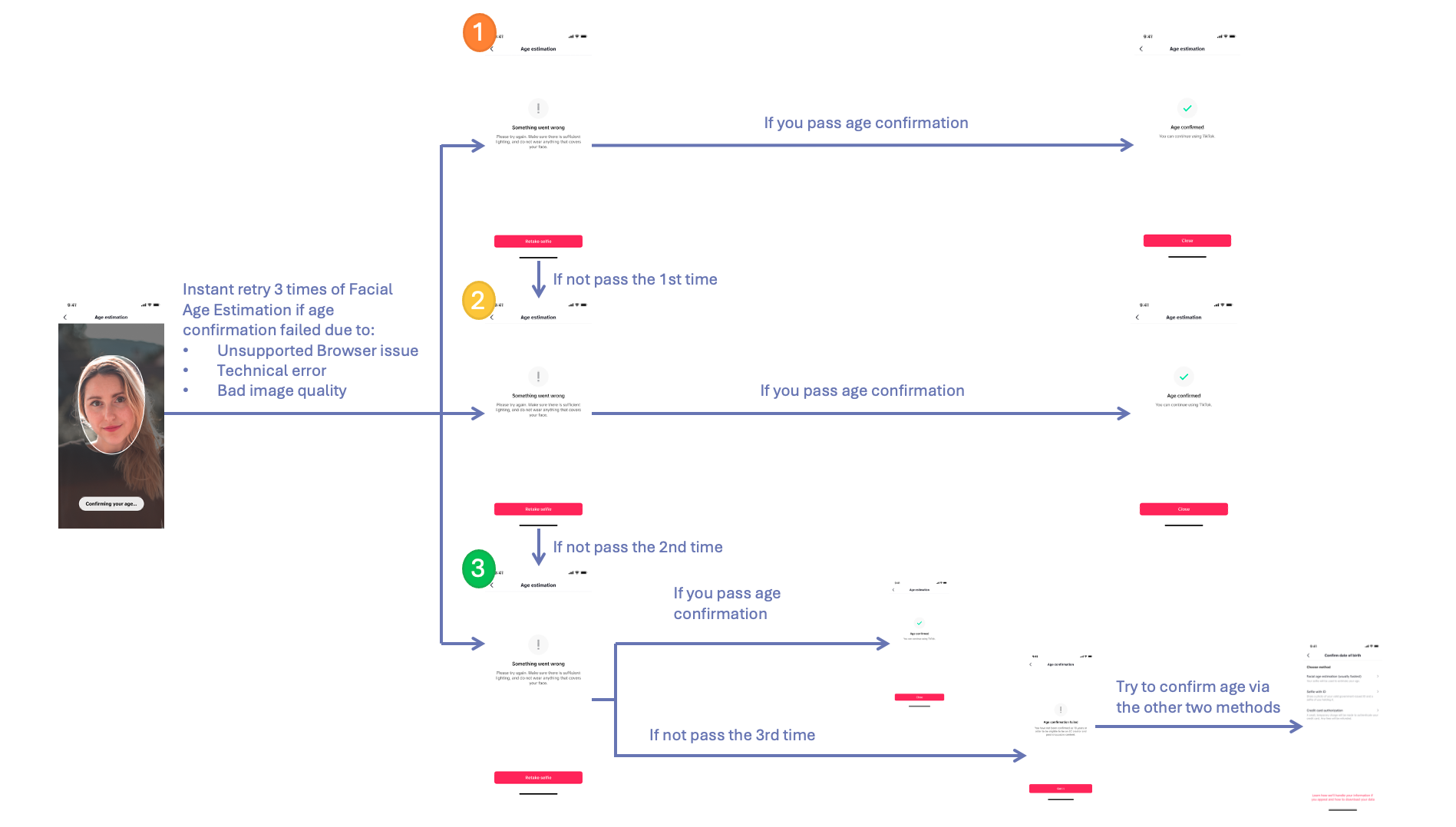 |
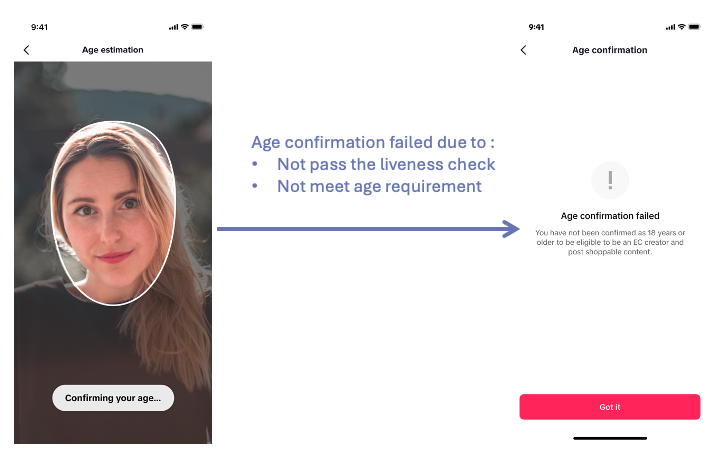
Age Confirmation Guidance - Selfie with ID
Age Confirmation Step | Screenshot of UI |
| 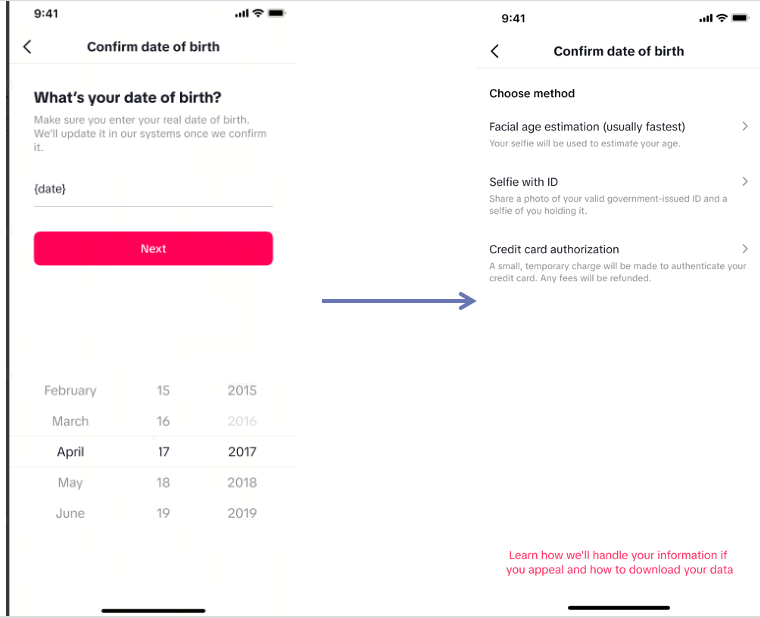 |
| 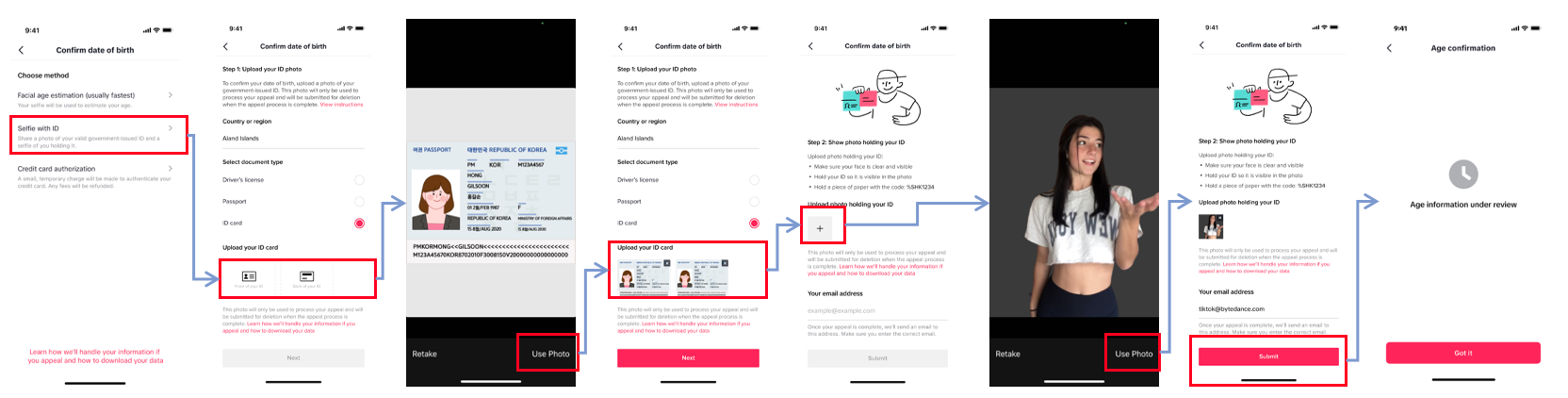 |
| A. If the age confirmation is successful ( which means age confirmed as 18+), you will be able to officially obtain full access to TikTok Shop to add products and post shoppable content accordingly.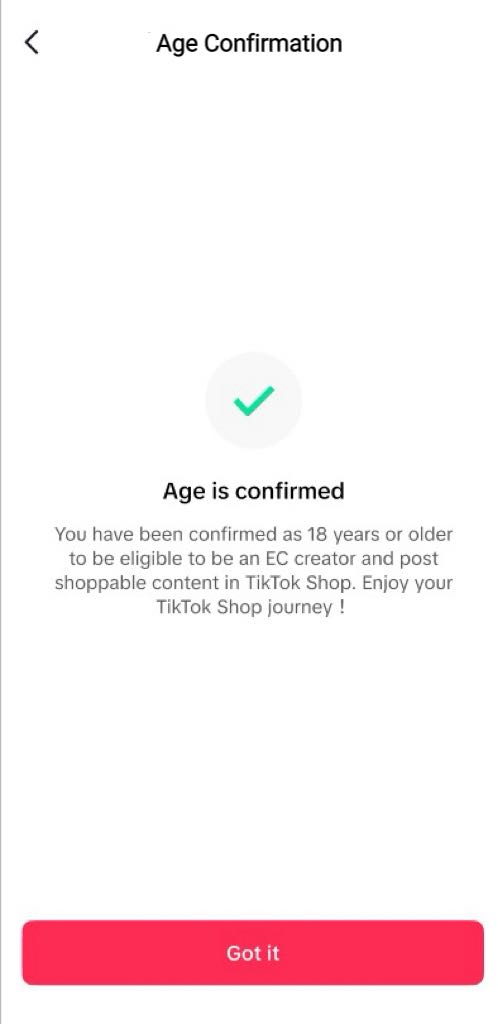 |
B. If the age confirmation fails ( which means age confirmed as 18- ,you will not be able to obtain full access to TikTok Shop to add products and post shoppable content accordingly.
You can appeal the result by using the other two age confirmation methods to complete the age confirmation process. 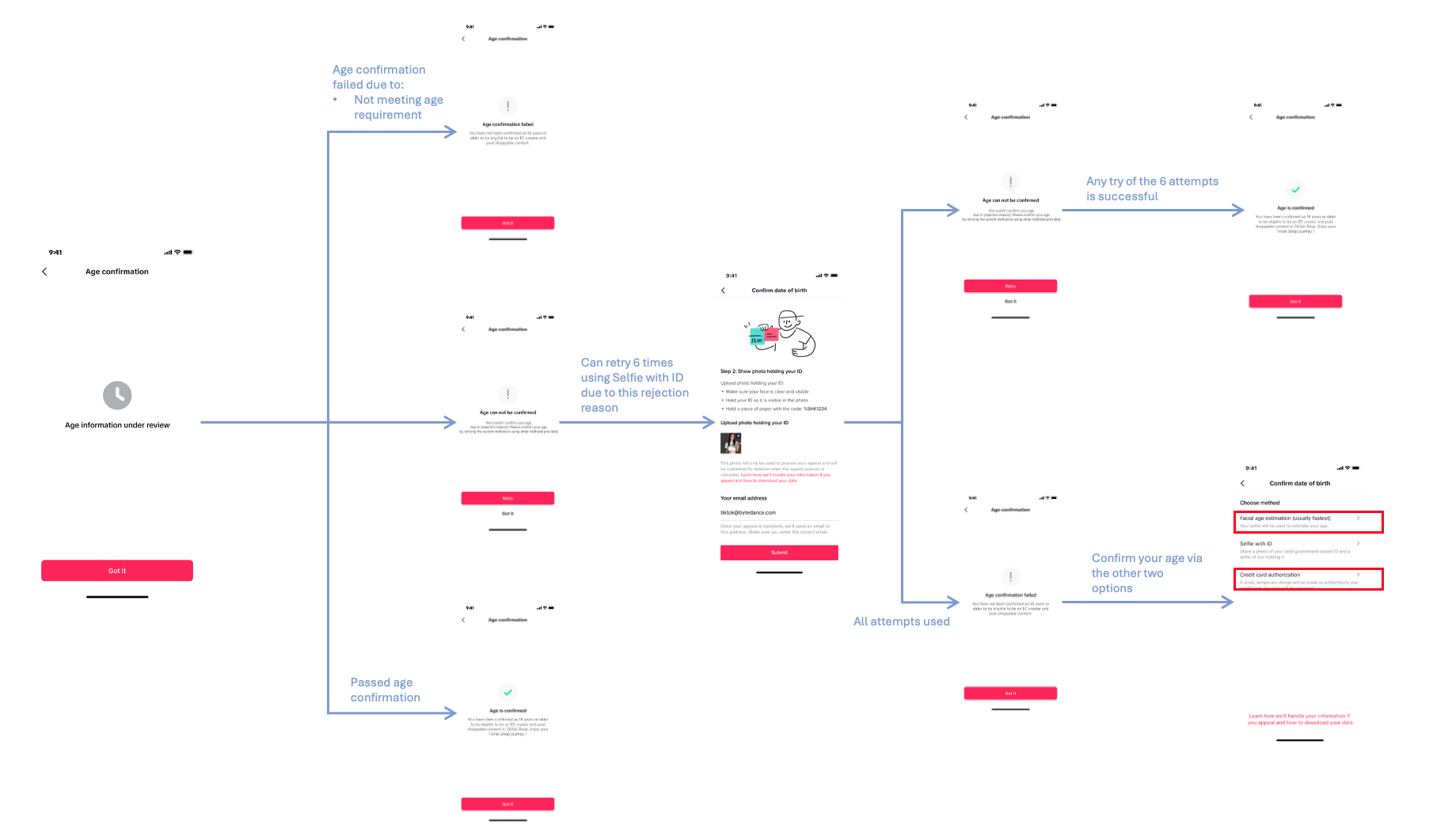 |
Age Confirmation Guidance - Credit Card Authorisation
Age Confirmation Step | Screenshot of UI |
| 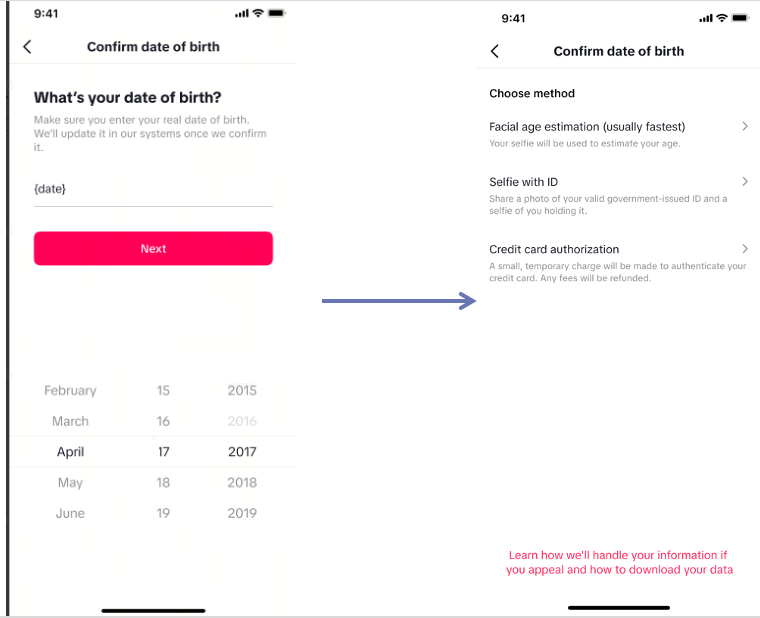 |
| 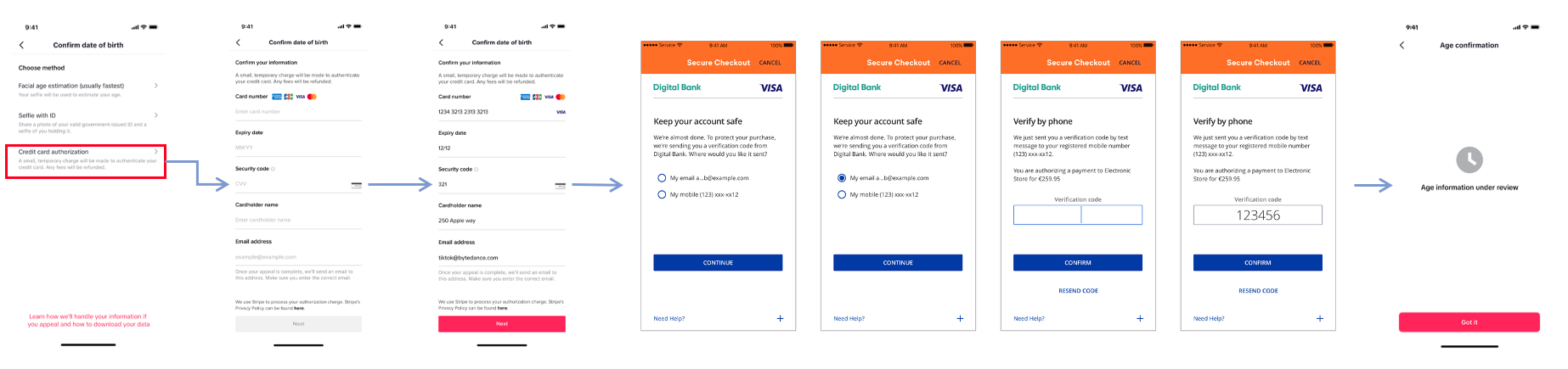 |
| A. If the age confirmation is successful ( which means age confirmed as 18+), you will be able to officially obtain full access to TikTok Shop to add products and post shoppable content accordingly.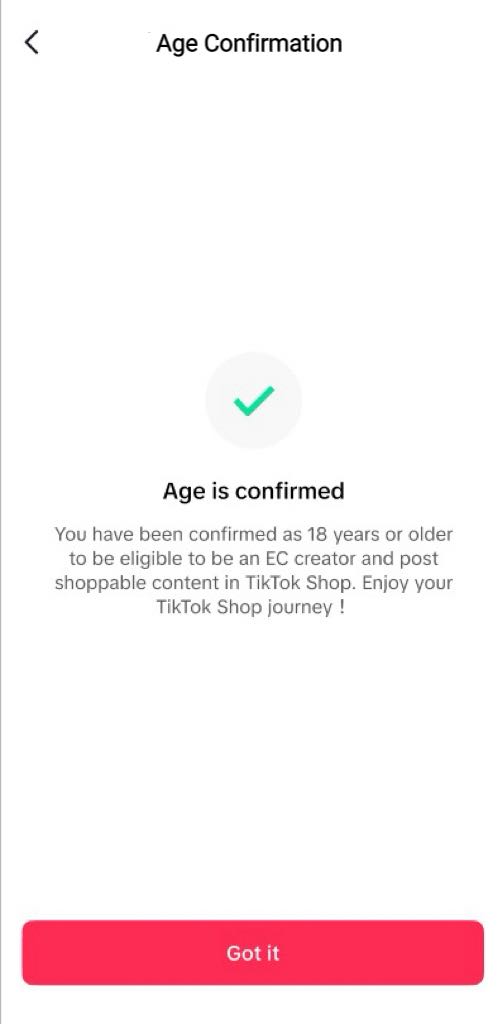 |
B. If the age confirmation fails ( which means age confirmed as 18- ,you will not be able to obtain full access to TikTok Shop to add products and post shoppable content accordingly.
You can appeal the result by using the other two age confirmation methods to complete the age confirmation process. 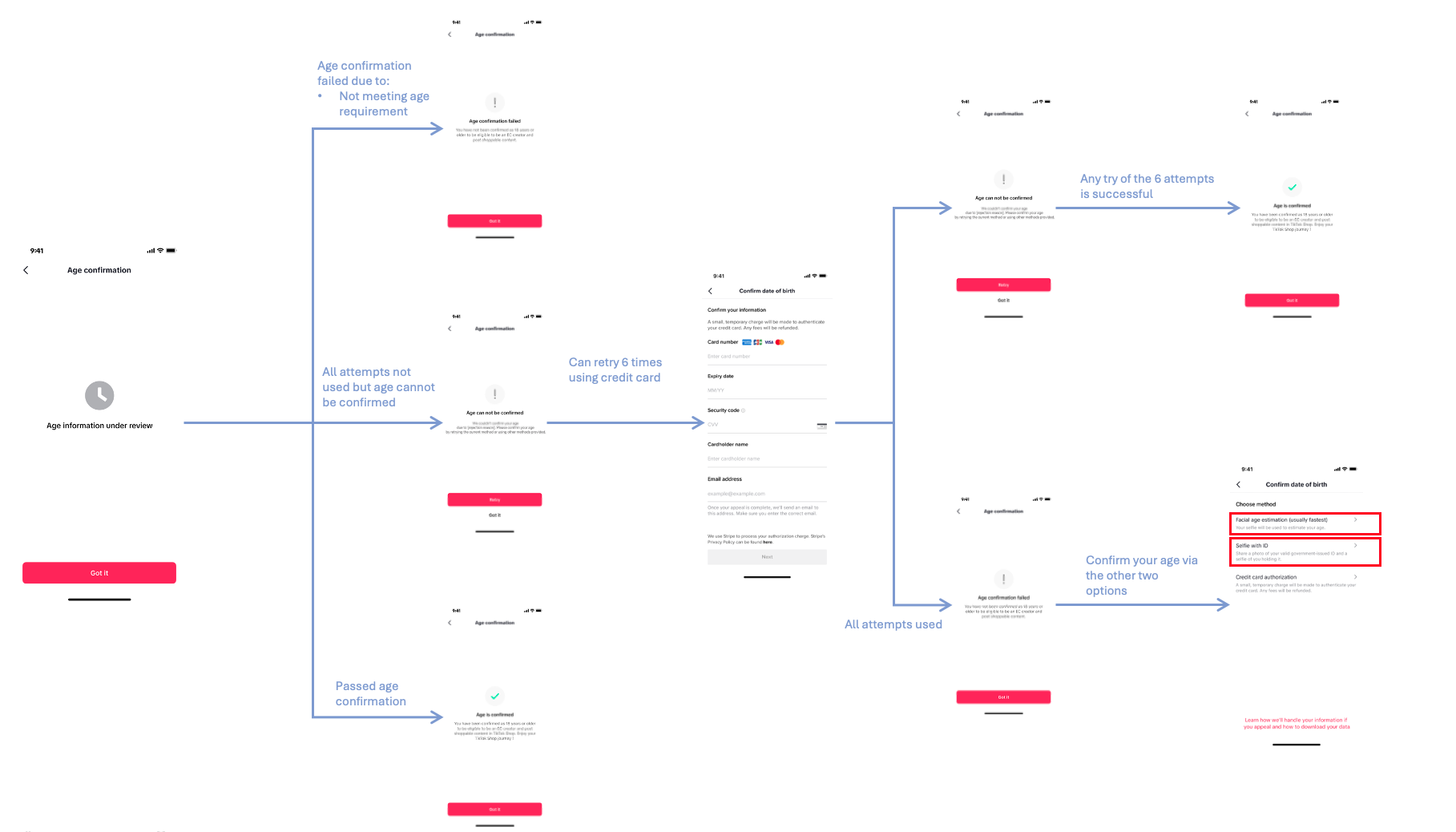 |
FAQs
- What happens if I can't confirm my age or need help with age confirmation?
- Do I need to confirm my age for each account when binding multiple accounts to my TikTok Shop seller account?